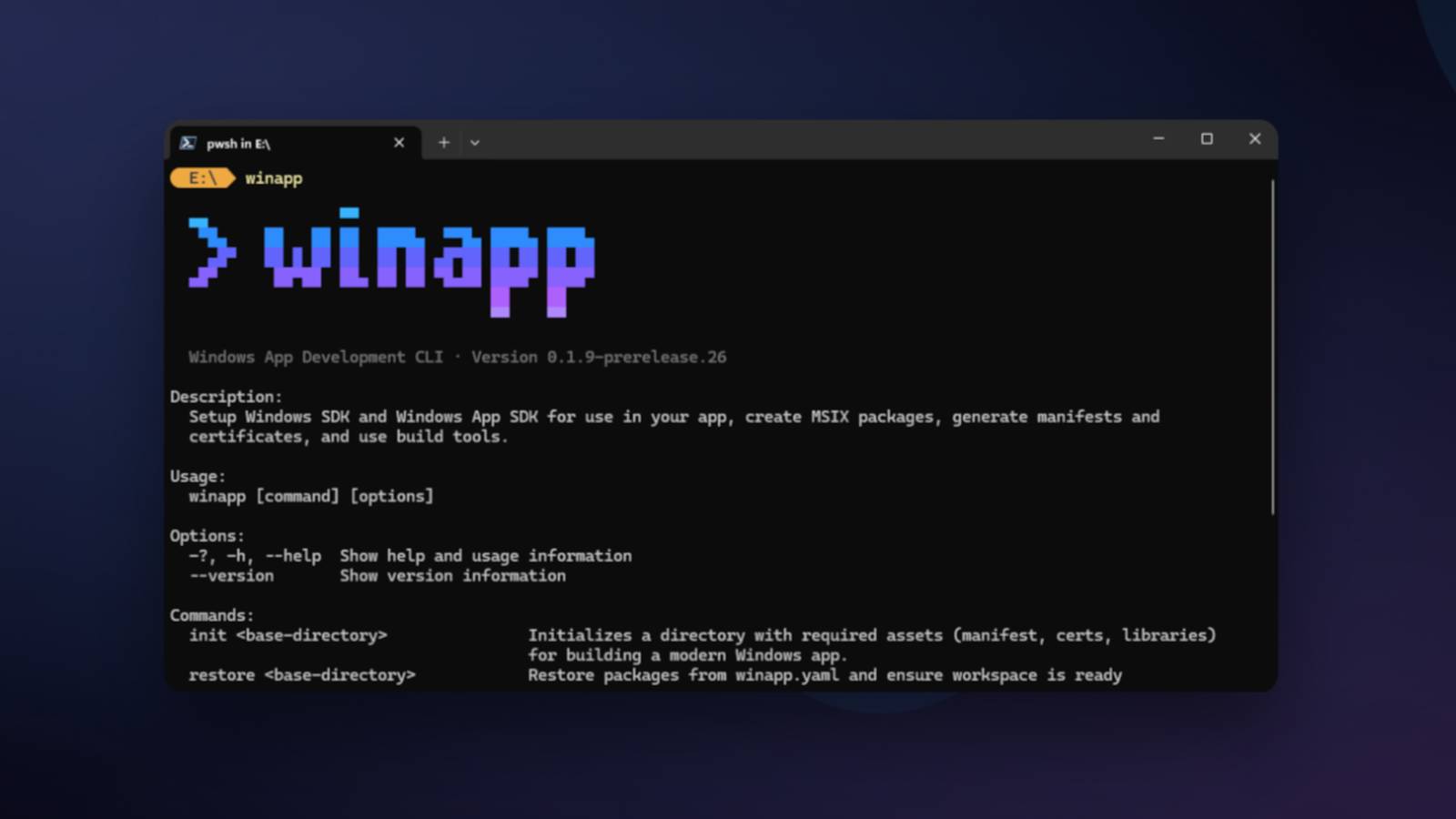
WinApp CLI: Unifying Windows Dev Tasks for Any Framework
Microsoft has consistently innovated to make the Windows operating system more accessible and powerful for its users and, crucially, for its vast developer community. From productivity boosters like PowerToys to advanced system diagnostics with Sysinternals, and even native program enhancements like those seen in Task Manager or File Explorer, the Redmond giant is always refining the Windows experience. Now, Microsoft is turning its attention to a crucial segment: developers who build applications for Windows but may not operate exclusively within the traditional Visual Studio ecosystem. This focus has led to the introduction of WinApp: Develop Windows Apps Without Visual Studio Hassle, a revolutionary command-line interface (CLI) that is set to redefine Windows application development for any framework.
For those asking, "qué es WinApp?" it's Microsoft's strategic answer to the diverse and evolving landscape of modern software development. It's a powerful, lightweight command-line interface designed to simplify the intricate processes involved in creating, editing, and managing professional Windows applications. Historically, developing a "serious" Windows application often implied a deep dive into Visual Studio. While Visual Studio is an incredibly powerful and comprehensive Integrated Development Environment (IDE) that Microsoft proudly defines as an accelerator for developer careers, its size, complexity, and resource requirements aren't for everyone. Many developers prefer lighter, more agile code editors like VS Code or Cursor, or work with cross-platform frameworks that have their own toolchains. WinApp CLI bridges this gap, making Windows development more flexible and less dependent on a single, monolithic IDE.
The Evolving Landscape of Windows Development: Why WinApp CLI Now?
The developer world is incredibly diverse, with a wide array of languages, frameworks, and preferred development environments. For years, Windows application development, particularly for native features and distribution, often steered developers towards Visual Studio and its associated build system, MSBuild. While this integrated approach offers immense power and a rich feature set, it comes with a significant learning curve and a substantial footprint on a developer's machine.
The challenges for developers working outside the Visual Studio ecosystem were considerable:
- Complexity of Environment Setup: Setting up the necessary Windows SDKs, build tools, and dependencies could be a labyrinthine task, often requiring manual configuration or reliance on Visual Studio installers even if the IDE itself wasn't being used.
- Packaging and Distribution Headaches: Creating application identities, generating manifests, managing certificates for signing, and meeting complex packaging requirements (e.g., for MSIX) were often manual, error-prone, or required specific Visual Studio tooling.
- Accessing Native APIs: Integrating modern Windows APIs, including security features, shell integrations, or the burgeoning Windows AI APIs, frequently meant navigating extensive documentation and adapting code to Windows-specific build processes that were inherently tied to Visual Studio.
- Framework-Specific Conflicts: Cross-platform frameworks often have their own build systems and conventions, which could clash or require significant workarounds when trying to target Windows natively and package applications correctly.
This is precisely where WinApp CLI steps in. It acts as an intermediary, a single, streamlined command-line interface that abstracts away much of this complexity. Instead of forcing developers into a particular IDE or build system, WinApp CLI provides a unified approach to manage these essential Windows development tasks, regardless of the developer's preferred tools or framework. It’s a powerful move by Microsoft to lower the barrier to entry and foster a more inclusive development environment for Windows.
Qué es WinApp CLI: Unifying Complex Windows Development Tasks
At its core, "qué es WinApp?" can be answered by defining it as a singular command-line interface designed to consolidate and simplify traditionally disparate Windows development tasks. This tool is a game-changer for anyone building applications for Windows, especially those who prioritize agility and flexibility over a heavy integrated development environment.
WinApp CLI unifies critical aspects of Windows application development into a single, intuitive interface:
- SDK Management: Forget the hassle of managing multiple Windows SDKs. WinApp CLI provides a streamlined way to handle these essential development kits.
- Application Packaging: It simplifies the complex process of packaging applications, crucial for distribution via the Microsoft Store or other channels. This includes generating application identities, creating manifests, and managing certificates.
- Build Tool Integration: WinApp CLI can work seamlessly with various build tools, ensuring your projects compile correctly, irrespective of the underlying framework.
- Certificate Generation and Management: Digital certificates are vital for application signing and security on Windows. WinApp CLI automates their generation and management, removing a common hurdle for developers.
The primary benefit of this unification is clear: developers can focus more on writing code and building features, and less on the intricate, often frustrating, setup and packaging processes unique to the Windows platform. It's about empowering developers to be productive in their chosen environment while still delivering professional, native-feeling Windows applications.
A Gateway to Modern Windows APIs and Features
One of the most significant advantages of WinApp CLI is its ability to facilitate seamless access to modern Windows APIs and functionalities. As software evolves, so too do the features embedded within the operating system. Developers want to leverage these advancements without having to relearn an entirely new toolchain or fight against framework incompatibilities.
WinApp CLI makes this possible, providing a direct conduit to capabilities such as:
- Windows AI APIs: Integrate cutting-edge artificial intelligence features directly into your applications, from machine learning models to cognitive services, without the need for specialized Microsoft tooling.
- Security Features: Access and implement robust Windows security APIs, enhancing the safety and integrity of your applications.
- Shell Integrations: Deeply integrate your applications with the Windows shell, providing a more native and seamless user experience, whether it's context menu entries or advanced file type associations.
- Services and System Actions: Interact with various Windows services and perform system-level actions, allowing for powerful and deeply integrated applications.
This capability to Unlock Windows API Access with Microsoft's New WinApp directly from any toolchain represents a major leap forward, ensuring that developers using Electron, C++ with CMake, .NET, Rust, Dart, or any other framework can build applications that are not only functional but also deeply integrated with the modern Windows experience.
Practical Advantages and Future Implications
The introduction of WinApp CLI is more than just a new tool; it signifies a strategic shift for Microsoft, embracing the open and diverse nature of the contemporary development landscape. This shift offers several profound advantages for the developer community:
Streamlined Workflow and Increased Productivity
By unifying complex, previously disparate tasks, WinApp CLI significantly streamlines the developer workflow. Imagine a scenario where setting up a development environment, managing SDKs, compiling a project, and packaging it for distribution can all be handled with a few simple commands from your preferred terminal, regardless of whether you're using VS Code on a Mac to build an Electron app for Windows, or a Rust developer on Linux targeting Windows. This reduction in overhead means developers spend less time on configuration and more time on innovation, directly translating to increased productivity and faster development cycles.
Lowering the Barrier to Entry
WinApp CLI democratizes Windows application development. Previously, the perceived "cost" of developing for Windows often included learning Visual Studio and its ecosystem. By decoupling these requirements, Microsoft lowers the barrier to entry for a vast number of developers who are already proficient in other languages, frameworks, and IDEs. This move encourages a wider array of talent to build for Windows, fostering a more vibrant and diverse application ecosystem. Whether you're a web developer extending your reach to desktop, a game developer targeting Windows with a custom engine, or a data scientist building a specialized utility, WinApp CLI makes Windows a more welcoming platform.
Microsoft's Shifting Strategy: Embracing Openness
WinApp CLI is a testament to Microsoft's continued commitment to openness and developer choice. Alongside initiatives like WSL (Windows Subsystem for Linux), VS Code, and its contributions to open-source projects, WinApp CLI reinforces the idea that Microsoft is evolving beyond its traditional proprietary ecosystem. It acknowledges that developers operate in a multi-platform, multi-tool world and seeks to meet them where they are. This strategic embrace of diverse workflows not only benefits individual developers but also strengthens the Windows platform by attracting more innovative applications from a broader talent pool. It’s a powerful statement about modernizing Windows development for the future.
Conclusion
WinApp CLI stands as a pivotal advancement in Microsoft's journey to empower developers. For those wondering, "qué es WinApp?" it is definitively a powerful, unified command-line interface designed to dramatically simplify Windows application development. By abstracting away the complexities of SDK management, packaging, manifest creation, and certificate handling, WinApp CLI liberates developers from the necessity of Visual Studio, allowing them to leverage their preferred tools and frameworks—be it Electron, Rust, Dart, C++ with CMake, or .NET—while still building professional, deeply integrated Windows applications. This strategic move not only streamlines workflows and boosts productivity but also lowers the barrier to entry, fostering a more inclusive and dynamic ecosystem for Windows development. WinApp CLI is more than just a tool; it's a testament to Microsoft's commitment to flexibility, openness, and empowering every developer to bring their creations to the Windows platform with unprecedented ease.